Veterans know the yellow intel glow can vanish inside Stutter debris, but Jack Joyce’s Time Vision is more than a collectible scanner. A quick pulse before every breach exposes Chronon routes, hidden switches, explosive cover, and enemy positions before the firefight starts—saving you from the classic “one room short” cleanup run.
Quantum Break Time Vision: Finding Secrets and Chronon Sources
Toggle Time Vision in every new room, especially after a door, cutscene, or loading transition. Yellow or gold highlights reveal emails, documents, Intel, switches, and explosive barrels through thin cover, while blue Time Echoes reconstruct past events when interacted with. Sweep corners and side rooms before advancing, because Chronon Sources are Jack’s upgrade currency; nearby sources trigger a radar icon that pulses faster and flashes yellow as you approach, then appear as a white cloud or shimmering orb.
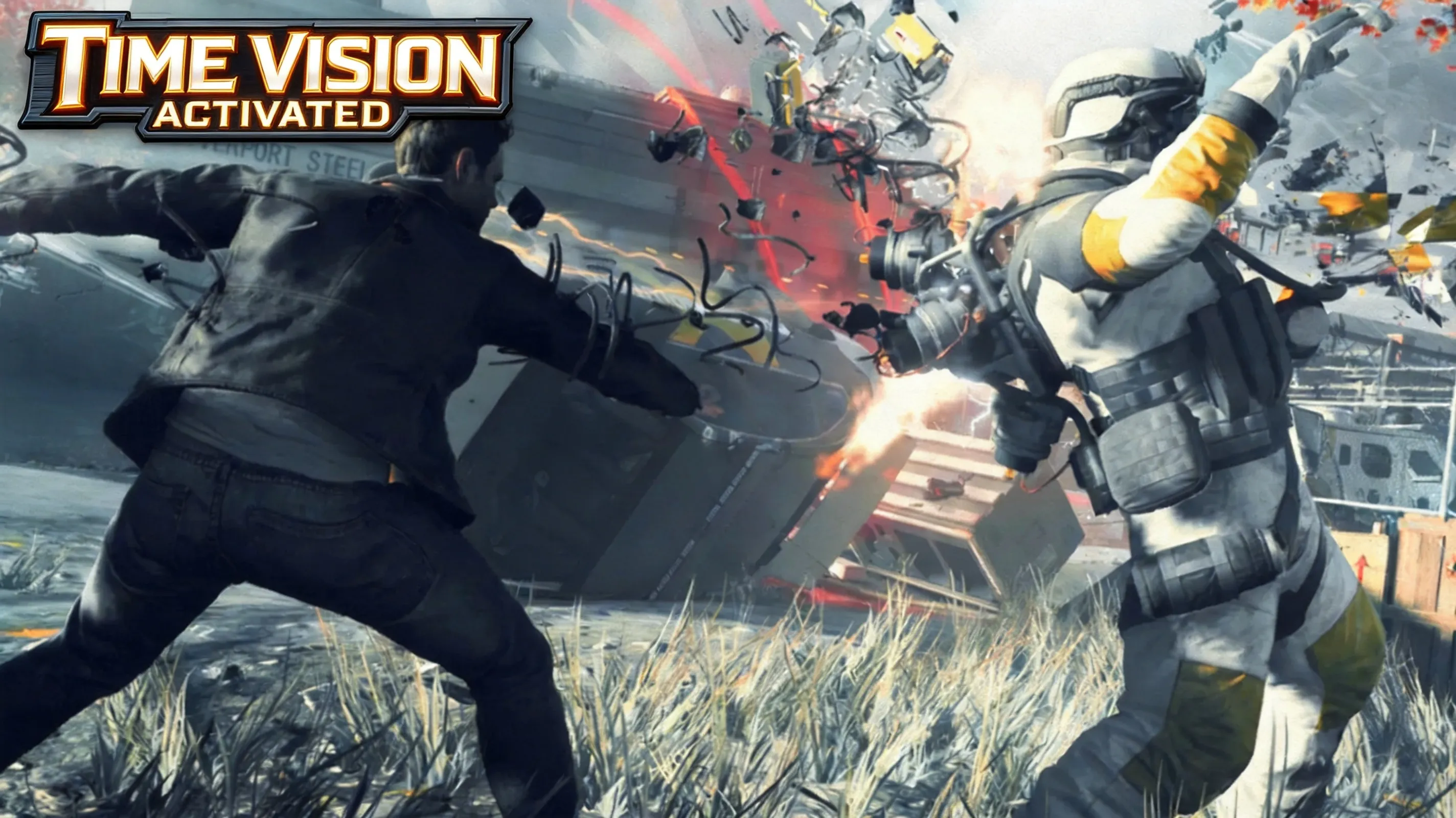
Look vertically as well as horizontally: Chronon Sources can sit above crates, on ledges, or in awkward side paths. Time Vision is most effective while Jack stands still, lasts several seconds, and then needs a brief cooldown, so use it at room entry rather than while sprinting. Upgrades can add an active pulse during powers such as Time Dodge or Time Rush, making later collectible sweeps less dependent on perfect positioning.
Tactical Time Vision: Enemies, Stutters, and Bullet Stacking
Before breaching a combat arena, pulse Time Vision and identify red enemy silhouettes through walls, crates, and clutter. Prioritize Chronon-equipped Strikers, then mark explosive canisters that can create area damage; this planning pass gives you a target order before Jack spends a single dodge. During live fire, stop staring at the vision overlay—Time Vision is a scouting tool, not a shield, and movement can make its information fade.
Build Bullet Stacking by trapping a target inside a Time Stop bubble, unloading a magazine into the frozen enemy, and releasing time so the stored damage lands together. Follow with Focus Time after a Time Dodge to clean up survivors, while Stutters provide arena control and safer repositioning. If a Stutter becomes crowded, pulse vision only during a brief pause, then return to movement, cover, and power cooldowns.
Choose around frame rate, image quality, and episode access rather than story content, which remains the same. Xbox One and One S use a 720p base image reconstructed to 1080p at a locked 30 FPS; Xbox Series X backward compatibility reaches native 4K while remaining locked to 30 FPS. The optional Xbox Episode Pack is about 75GB for offline viewing of the four roughly 25-minute live-action episodes, while Steam requires episode streaming.
| Version |
Resolution and performance |
API and episode detail |
| Xbox One/One S |
720p reconstructed to 1080p, 30 FPS |
DirectX 11/12; stream or download the 75GB pack |
| Xbox Series X |
Native 4K, 30 FPS |
Back-compat; stream or download episodes |
| Steam PC |
Native 4K possible, uncapped 60+ FPS |
DX11; episodes stream only |
| Microsoft Store PC |
Native 4K possible, uncapped PC frame rate |
DX12; Play Anywhere and cross-save |
For modern hardware, Steam’s DX11 build is generally considered more stable than the historically troubled Windows Store DX12 release, while PC adds mouse-and-keyboard support, ultra textures, and improved volumetric lighting. The Microsoft Store version lets you move between Quantum Break on Xbox and Windows PC with cross-save through Play Anywhere, but Steam saves do not sync with console. Disable upscaling for native output only if your GPU can sustain it; no publicly verifiable data is available for a universal 4K performance target.
Best Value Route: Game Pass First, Then Compare Prices
As of October 28, 2026, Xbox Game Pass and PC Game Pass include the full game, making them the zero-risk route for testing Time Vision sweeps, Junction choices, and streaming reliability. If you decide to own it, the usual Microsoft Store and Steam MSRP is $39.99, while Steam seasonal sales have reached $7.99–$9.99 and the reported all-time low was $2.94 in July 2026. Run a game price comparison across authorized stores and historical-low trackers before purchasing, because regional pricing and sale timing vary.
Use Steam when native 4K, 60+ FPS, and the DX11 build matter most; use Microsoft Store when Play Anywhere and console-to-PC saves matter more. Stay with Game Pass when value-first testing is the priority, and verify whether your connection can stream Steam’s live-action episodes before committing. That route keeps the decision tied to your hardware and play pattern instead of treating every version as identical.